Independent affiliate guide. We may earn trading-fee commission through our code. Public documents and calculations are not account-level tests. Evidence and limits.
FOMO is the rare crypto app you can learn in one sitting. This guide walks through the full cycle: account, funding, your first trade, following traders by hand, and getting your money out. It also covers the mistakes to avoid at each step. FOMO does not have a copy trading feature, so every trade below is one you place and confirm yourself.
1. create your account (do this part right)
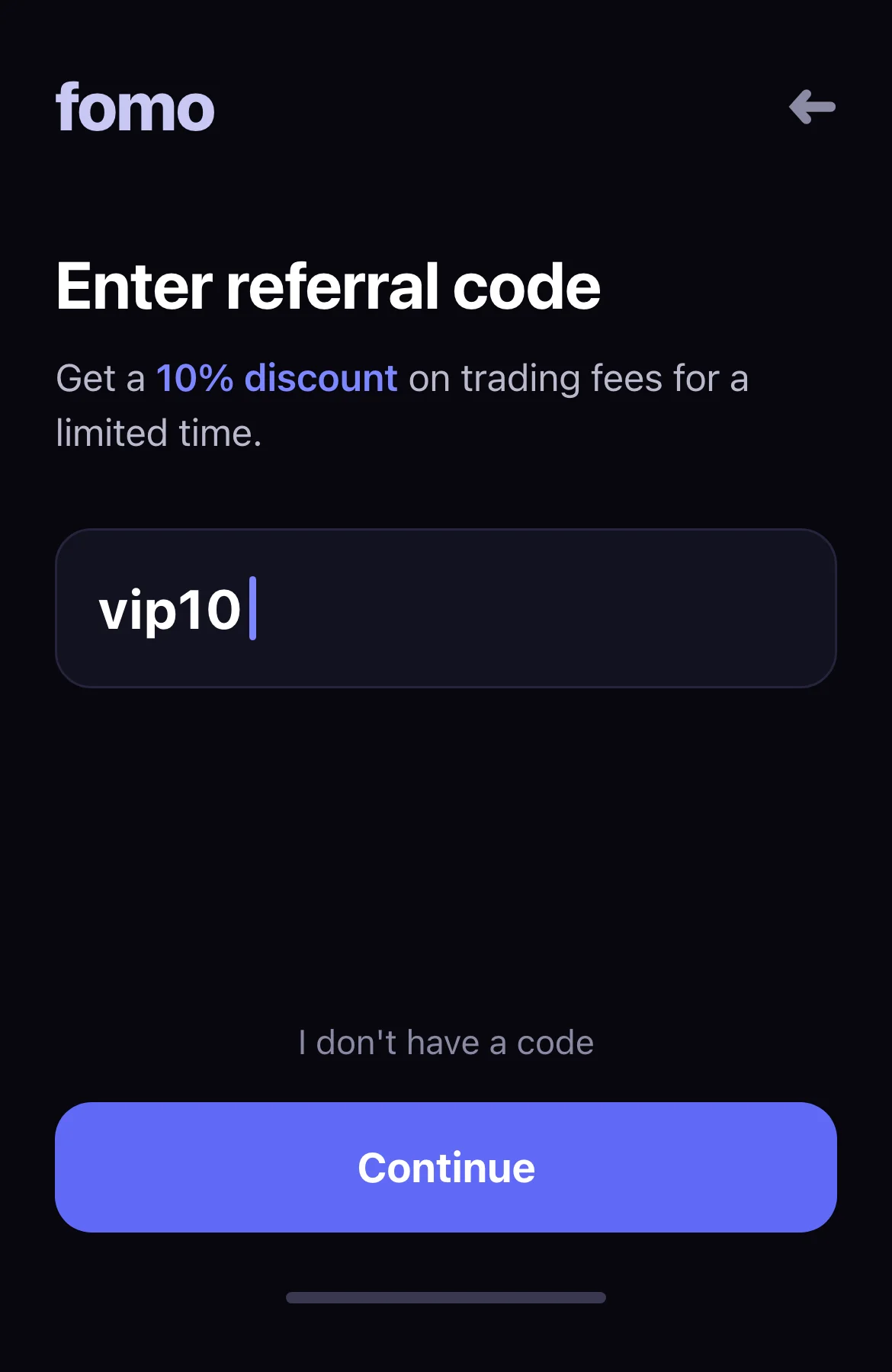
Download FOMO from the App Store or Google Play, or use the web app at fomo.family. During signup the app shows a referral code field. Enter VIP10 if that field appears and inspect the response. The public standard offer is 10% off trading fees; we have not independently tested VIP10 account acceptance. For an existing account, FOMO describes support options.
Sign in with Apple or Google. FOMO creates an embedded wallet for you — there is no seed phrase to write down.
That one account trades across Solana, Base, BNB Chain, Monad, Ethereum and Robinhood Chain from a single cash balance. There is no bridging and no switching networks to buy a token that lives on a different chain. The supported chains page covers how each one works.
2. verify the discount
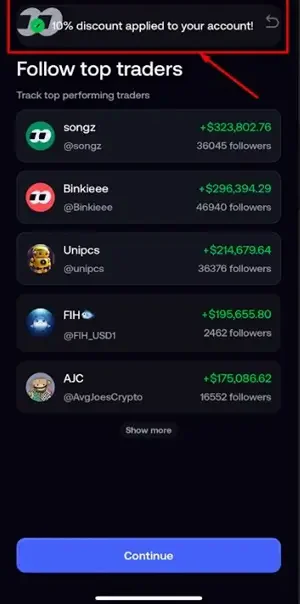
Inspect any referral acceptance message and the fee shown before confirming a trade. A public landing page is not proof of the account result. We have not independently verified the current settings path or timed this task.
Referral code
VIP10
FOMO's published offer: 10% off trading fees
Sign up with VIP10 →FOMO documents a reduction from its standard 0.50% fee to 0.45%. Duration and discounts on other fee bands are not specified. The public VIP10 page displays this offer; account acceptance has not been independently tested here. Check the fee in your account. Terms can change.
Independent affiliate guide. We may earn trading-fee commission if you use our code.
3. fund the account
Funding routes to check against the current in-app quote:
- Apple Pay or card: availability and processing depend on the provider. The payment provider adds a spread, so compare the quoted total against market price.
- Crypto deposit: select the supported asset and network shown in FOMO. The sender may charge network or withdrawal fees.
- Transfer from an exchange: withdraw from your exchange to the FOMO deposit address. Test with a small amount first.
Fund enough to trade in blocks above 190 USDC on Solana. Below that line, FOMO's Solana fee bands charge more than the 0.50% headline rate, from a flat 0.10 USDC on the smallest orders up to a flat 0.95 USDC just under the line. The fee page shows every band.
4. make your first trade
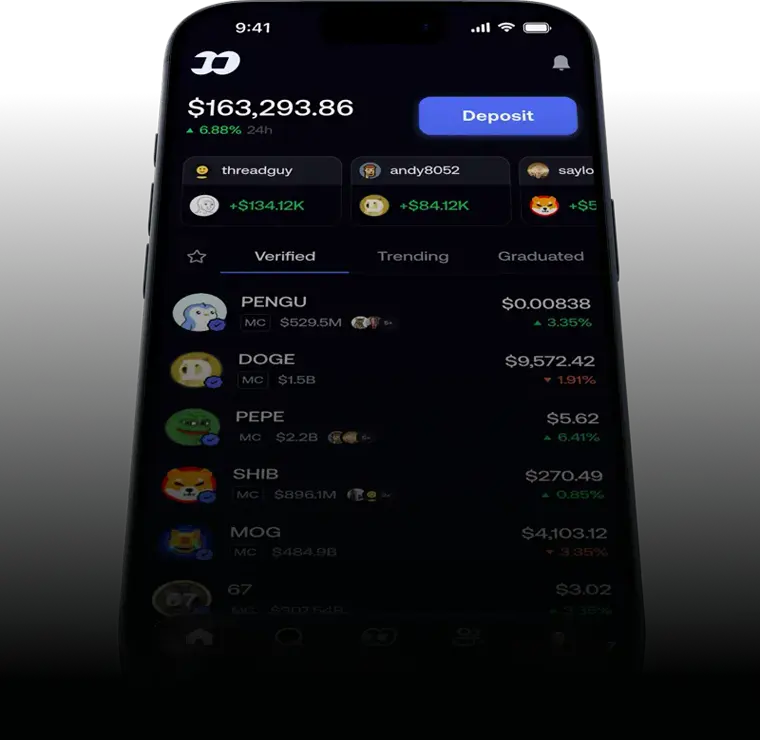
Pick a token from the Trending or Verified list. The token page shows the chart, holders, and recent trades by people you follow. Tap Buy, choose an amount, and check two lines before you confirm: the fee and the slippage. On volatile tokens, set slippage manually rather than accepting the auto value.
5. use the social layer, the whole point of the app
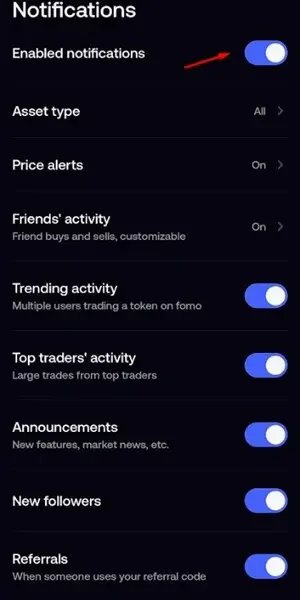
Follow five to ten traders with long profitable histories (the leaderboard shows verified PnL). Turn on alerts for the ones you trust. When several of them buy the same token within minutes, that is the signal the app was built to surface. FOMO does not have a copy trading feature. Acting on a trade means opening the token page from the feed and buying it yourself, at your own size and your own fee. The copy trading page covers what that costs and how to read a trader's profile first.
6. withdraw
The route depends on where you are. In the U.S., FOMO processes bank withdrawals through Spritz, after identity verification. A fast withdrawal started between 9 AM and 5 PM Eastern on a business day is described as same-day; a regular withdrawal is described as 1–3 business days. These are separate options, and we have not timed either. The minimum bank withdrawal is $5. Outside the U.S., withdraw as crypto to an external wallet or an exchange instead. Open your balance, choose Withdraw, and check the quoted fee before confirming. A small test withdrawal can check one route at one time, subject to fees and minimums; it does not guarantee future access. The withdrawal guide covers every route in detail.
fixes for the common errors
"Failed to buy" / "failed to sell"
- Read the error and current quote. Increasing slippage can worsen the execution price; it is not a general fix.
- Check whether the transaction was submitted before retrying. Network congestion is one possible cause; no retry delay guarantees success.
- Check the token: if selling fails repeatedly with high slippage, the token may restrict selling or lack liquidity. A verified badge does not guarantee an exit.
Is FOMO down?
When nothing executes, check three things in order: FOMO's X account for status posts, a Solana status page for network congestion, and your own connection. We have not measured the frequency or duration of these failure modes; consult official support if the cause remains unclear.
Referral field missing
There is no self-service field after signup. FOMO describes attachment via support when signup through a link left no referrer, and changing an existing referrer. See the exact support cases.
Ready to start? Grab the code below, and read the full review if you want the complete picture first.
Referral code
VIP10
FOMO's published offer: 10% off trading fees
Open the official referral page →FOMO documents a reduction from its standard 0.50% fee to 0.45%. Duration and discounts on other fee bands are not specified. The public VIP10 page displays this offer; account acceptance has not been independently tested here. Check the fee in your account. Terms can change.
Independent affiliate guide. We may earn trading-fee commission if you use our code.
Sources and dates
These sources support the documented claims. A public-source check does not verify account acceptance or a completed trade. Historical observations retain their original dates. Read the evidence limits and corrections.